Bodypaint 3d Price
BodyPaint 3D Price: What You'll Pay and What You Get
The bodypaint 3d price depends on whether you access it as a standalone macOS application or as a bundled module inside Cinema 4D — and right now, the clearest entry point is a free trial download.
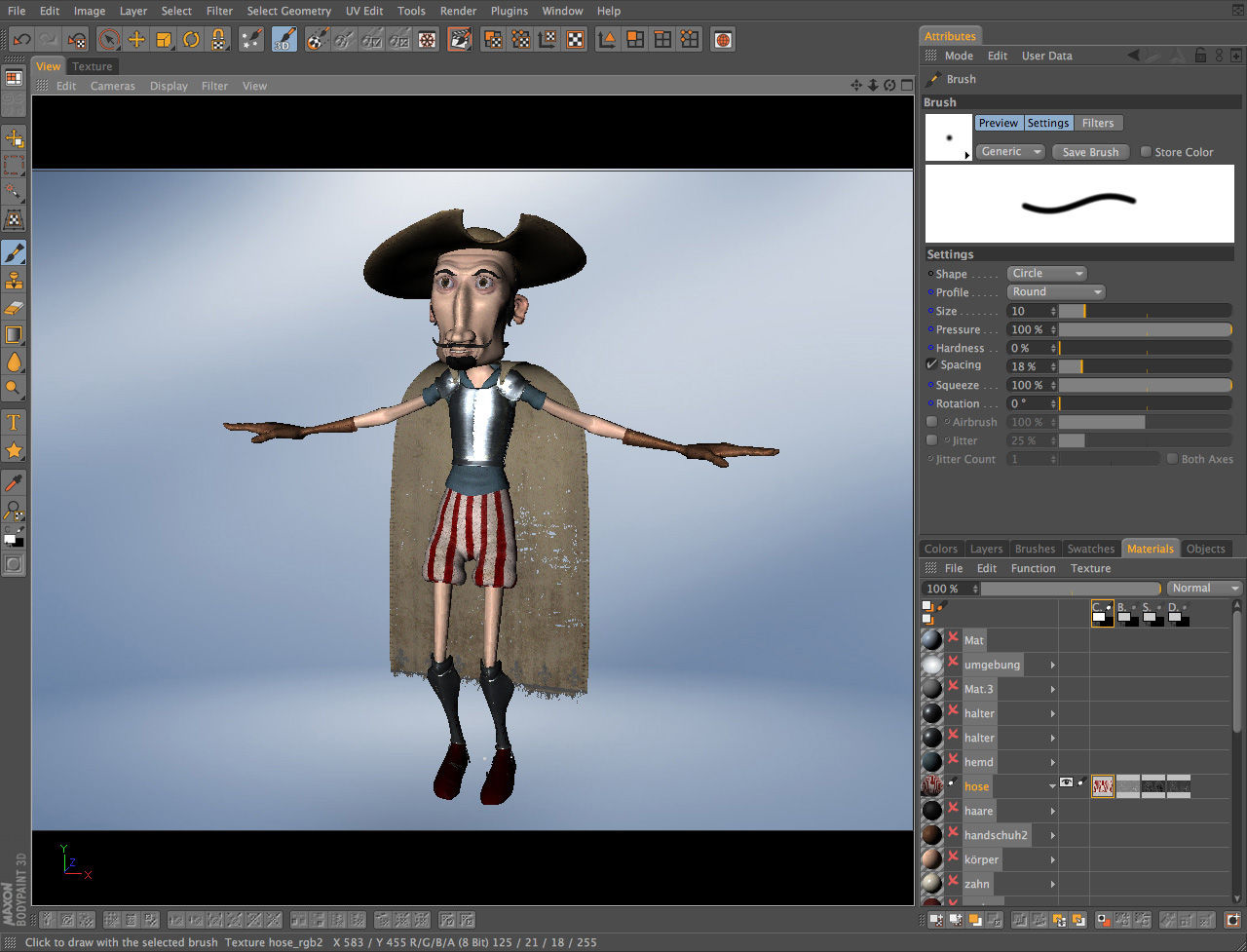
BodyPaint 3D is a dedicated 3D texture painting application developed by Maxon. It sits in the graphic design and 3D art software category, aimed at character artists, game texture artists, and concept illustrators who need precise, raster-based painting directly onto 3D geometry. Load a mesh, paint in real time, and the underlying UV-mapped texture layer updates simultaneously. No baking workarounds. No round-tripping through a separate application just to fix a seam.
How the License Actually Works
Trial First, Purchase Later
The current version ships as a free trial license, which lets you evaluate the full toolset before committing. That matters because Maxon's pricing structure has shifted over the years — Cinema 4D moved to a subscription model, and BodyPaint's availability as a standalone tool has changed with it. Check Maxon's current pricing page directly; the numbers update with regional pricing and bundle deals.
What the trial does restrict: export resolution caps and watermarking on rendered texture maps are common limitations in this tier. Confirm the exact restrictions on the trial page before starting a production job.
Standalone vs. Bundle
If you're already paying for a Cinema 4D subscription, BodyPaint is included as an integrated module — no separate purchase. For artists who don't need the full Cinema 4D suite, the standalone route (when available) historically cost less. For a detailed breakdown of what the standalone version actually covers, see the full BodyPaint 3D software overview.
Core Features Worth Paying For
Multi-Layer Painting and RayBrush
Multi-layer 3D painting with full blending modes is the headline feature. Each layer carries its own fill, opacity, and blend setting — comparable to Photoshop's layer stack. The RayBrush mode is the standout: brushstrokes follow surface normals rather than screen space, which makes painting on curved geometry far faster and more accurate than competing approaches.
Real-time projection painting spans multiple UV tiles. Bump map editing, normal map support, and specular map painting all sit in the same session. No toggling between applications.
Photoshop Plugin Integration
This is a macOS only feature set worth calling out. Third-party Photoshop-compatible brush engines drop directly into the plugin path via Edit > Preferences > Plugins. Your existing brush presets carry over without rebuilding. For teams that already have Substance Painter in the pipeline, a direct comparison of BodyPaint and Substance Painter clarifies where each tool has the edge.
Mesh-check tools flag UV seams before painting starts. Stencil and stamp tools round out the toolkit. Symmetry painting is available for character work.
Export Workflow
Batch-export all texture channels at once via File > Export Textures. One pass writes the diffuse, normal, and specular maps simultaneously — no saving each map individually. That alone saves significant time on dense character sheets.
Is It Worth the Cost?
For hand-painted textures on character models — the kind a client wants with visible brushwork and colour depth that automated baking cannot replicate — this professional UV painting tool earns its place. The Photoshop plugin compatibility and the non-destructive layer stack are genuine production advantages.
The bodypaint 3d price makes most sense if Cinema 4D is already in your subscription. If it isn't, trial the standalone version and compare against Substance Painter before deciding. The 3D texture painting software market is competitive, and the right choice depends on your mesh complexity and team pipeline.
Compare BodyPaint 3D Head-to-Head
More BodyPaint 3D Guides
Explore Graphic Design
Browse all graphic design on PicturesQuePhotoVideo. Also see Trial software and macOS options.