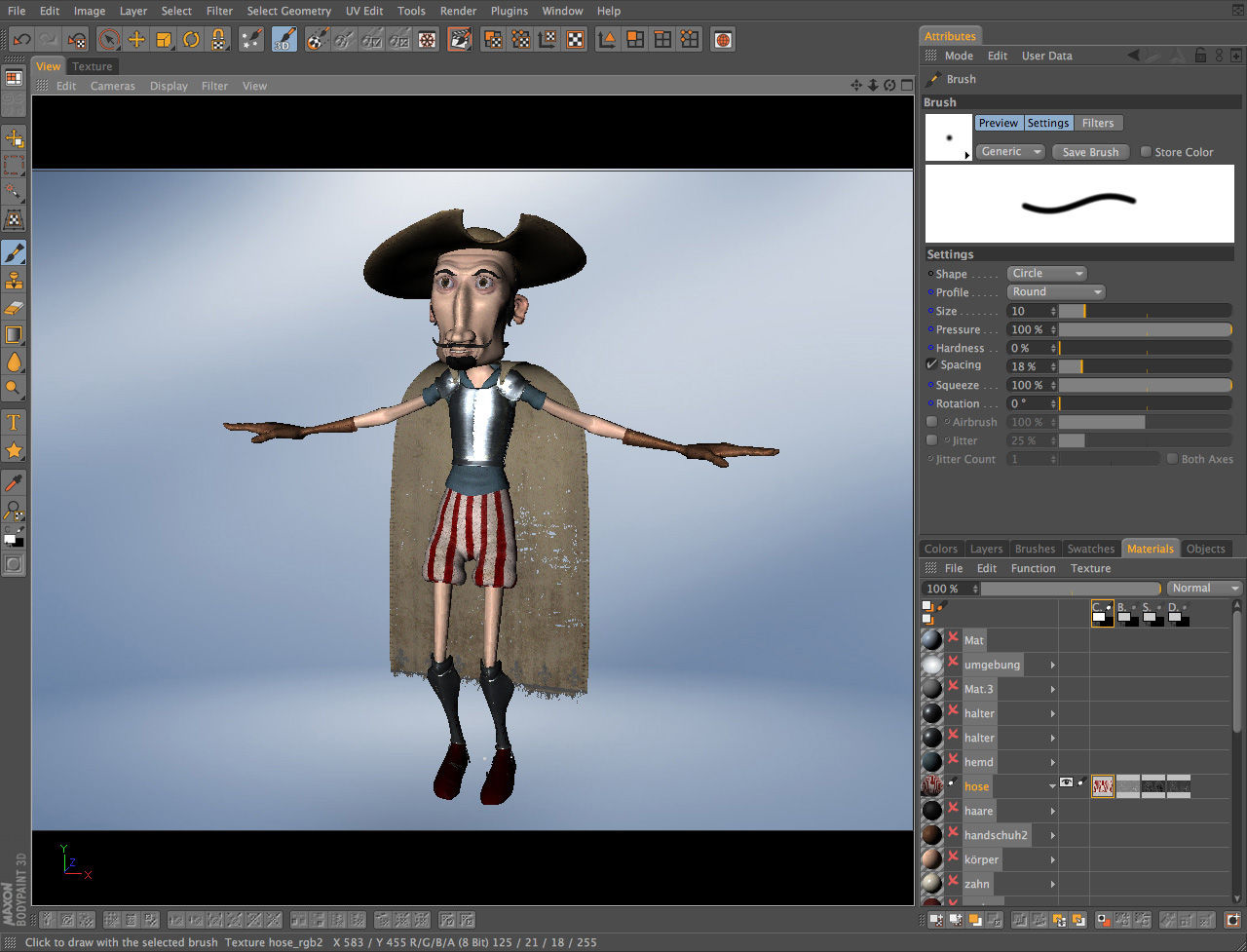
Bodypaint 3d R17
What Is BodyPaint 3D R17 and Is It Still Worth Using?
BodyPaint 3D is a dedicated 3D texture painting application from Maxon that ships both as a standalone macOS tool and as a module inside Cinema 4D — and if you're asking about bodypaint 3d r17 specifically, you're looking at a now-superseded release that laid the groundwork for many features still present in current versions.
This article covers what the software does, how its core painting system works, and what macOS artists should know before downloading the trial.
---
Who This Tool Is Built For
The Core Audience
The application targets 3D artists, game texture artists, and concept illustrators working in professional graphic design and digital art workflows. If a client hands you a character mesh and needs hand-painted color detail that automated baking simply cannot replicate, this is the tool built for that job.
It is not a vector editor. No SVG paths, no bezier anchor points, no artboard layout. The entire pipeline is raster-based, painted directly onto 3D geometry via UV-mapped texture layers.
macOS Platform Only
The standalone version runs exclusively on macOS compatible systems, so Windows-only studios are out immediately. That is a real constraint worth acknowledging upfront, especially for teams running mixed pipelines.
---
Core Features: What the Painting Engine Actually Does
Multi-Layer Painting and Blending
The layer stack supports blending modes comparable to Photoshop — fill, opacity, and blend settings per layer, fully non-destructive. Each UV tile can carry independent color, specular map, normal map, and bump map data simultaneously. This is what separates it from simpler projection tools.
The RayBrush mode is the standout feature here. Instead of painting in screen space, brushstrokes follow surface normals — meaning on a curved mesh like a shoulder or helmet dome, your stroke wraps the geometry correctly without manual correction. Stencil painting and symmetry painting round out the brush customization options.
Photoshop Plugin Integration
Third-party brush engines load directly via Edit > Preferences > Plugins. Photoshop-compatible plugins drop in without rebuilding presets, which matters if you've spent years building a custom brush library. This is a genuine advantage over tools that require full preset migration.
A detailed feature comparison with Substance Painter is worth reading if you're deciding between the two — Substance handles PBR metalness/roughness workflows more natively, while this tool has a stronger case for hand-painted stylized work.
---
Hidden Workflow Shortcuts
---
Licensing and Trial Limitations
The current version is available as a time limited trial license on macOS. The trial gives you access to the full painting toolset, but export restrictions typically apply — check the Maxon licence terms before committing to a production pipeline on trial builds.
For current pricing information, the BodyPaint 3D pricing breakdown covers the standalone versus Cinema 4D bundle costs in detail. No bundle is required if you only need the painting module.
---
Should You Still Look at R17?
bodypaint 3d r17 is a legacy release. The multi-layer 3D painting architecture, projection painting system, and UV unwrapping tools from that version survive in modern releases with meaningful refinements — RayBrush accuracy and the texture export pipeline have both improved in subsequent versions. If you're evaluating this as a professional UV painting tool for current production work, download the current trial rather than hunting down an older build. The core painting workflow is recognizable across versions; the older release offers no practical advantage over what ships today.
Compare BodyPaint 3D Head-to-Head
More BodyPaint 3D Guides
Explore Graphic Design
Browse all graphic design on PicturesQuePhotoVideo. Also see Trial software and macOS options.