Bodypaint 3d Software
BodyPaint 3D Software: Maxon's Direct-on-Mesh Painting Tool
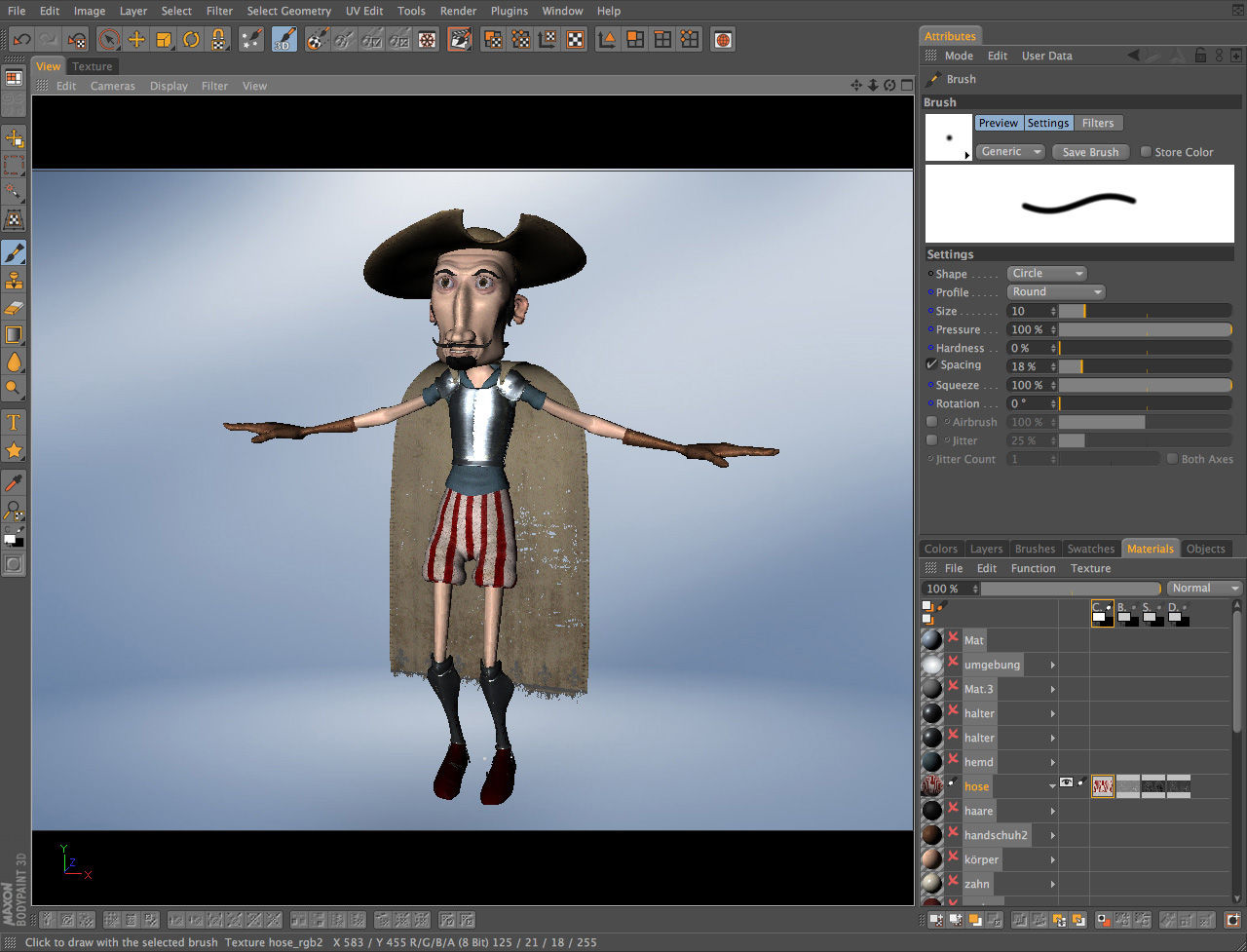
BodyPaint 3D is a dedicated raster-based texture painting application from Maxon, built for 3D artists who need to paint directly onto geometry rather than work from flat UV sheets alone. It runs as a standalone app on macOS or as an integrated module inside Cinema 4D. Drop a mesh in, and brushstrokes project onto the surface in real time while the UV-mapped texture layer updates simultaneously.
This sits firmly in the graphic design and digital art tooling space, aimed at character artists, game texture painters, and concept illustrators who need hand-painted detail that automated baking cannot replicate.
---
Core Painting Features
Multi-Layer Stack and Projection Painting
The layer system supports full blending modes — Multiply, Overlay, Screen — with per-layer fill, opacity, and blend controls. That's comparable to Photoshop's panel, not some stripped-down substitute. Multi-layer 3D painting here means you can separate color, roughness, and emissive information across independent layers without flattening during iterations.
Real-time projection painting covers multiple UV tiles simultaneously. RayBrush mode forces brushstrokes to follow surface normals rather than screen space — critical on curved geometry like shoulders or vehicle panels where screen-space painting causes obvious smearing.
Photoshop Plugin Integration
Third-party brush engines load via Edit > Preferences > Plugins. Photoshop-compatible plugins drop straight in; no rebuilding preset libraries. This makes the transition from a 2D painting background far less painful than competitors that require format conversion steps.
Mesh-check tools flag UV seams before a stroke lands, which saves the back-and-forth of discovering a seam problem mid-painting session.
---
UV Tools and Map Export
UV Unwrapping and Channel Export
As a professional UV painting tool, it handles UV unwrapping internally. Symmetry painting mirrors strokes across a defined axis — useful for character faces. Stencil and stamp tools round out the surface detail work.
Batch-exporting texture channels matters on deadline. File > Export Textures writes diffuse, normal, specular, and bump map channels in a single pass rather than saving each map individually. On a complex character with eight material zones, that one menu path saves real minutes.
---
Photoshop Compatibility on Mac
Yes, this is compatible with Photoshop on Mac. The plugin pathway is direct, and layer exports land as PSD-compatible files. Artists already running Photoshop brush presets don't need to reformat anything.
For context on how it stacks up against Substance Painter's node-based approach, the BodyPaint 3D versus Substance Painter comparison covers the practical tradeoffs between the two in detail.
---
Trial Version and Licensing
The app is available on a trial license basis, meaning full features are accessible for a limited period before purchase is required. Trial limitations typically restrict save or export functionality after the evaluation window — worth checking before committing to a production pipeline that depends on batch texture exports.
For full pricing details and subscription options, the BodyPaint 3D pricing breakdown covers current costs.
---
Comparison: BodyPaint 3D vs. Key Alternatives
| Feature | BodyPaint 3D | Substance Painter | Mari |
|---|---|---|---|
| Real-time projection painting | ✅ | ✅ | ✅ |
| Photoshop plugin support | ✅ | ❌ native | ❌ |
| Cinema 4D integration | ✅ native | ❌ | ❌ |
| Multi-layer 3D painting | ✅ | ✅ | ✅ |
| macOS standalone | ✅ | ✅ | ✅ |
---
The bodypaint 3d software is a focused, technically precise tool — particularly strong for Cinema 4D texture editor workflows and artists already embedded in Maxon's ecosystem. The Photoshop plugin bridge and RayBrush normal-following strokes are genuine differentiators. If your pipeline lives outside Cinema 4D, the value proposition narrows, but the UV tools and batch export alone make it worth evaluating on trial before committing.
Compare BodyPaint 3D Head-to-Head
More BodyPaint 3D Guides
Explore Graphic Design
Browse all graphic design on PicturesQuePhotoVideo. Also see Trial software and macOS options.