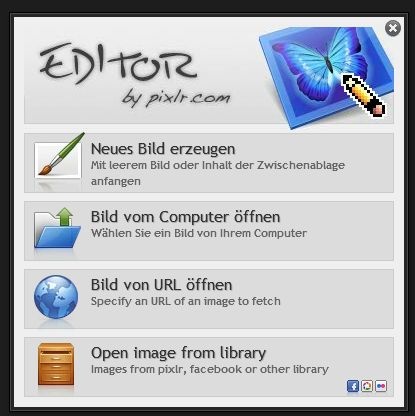
Pixlr Editor
Pixlr editor is a browser-based photo editor that runs without a local install, offering layer compositing, blend modes, and a full filter gallery at no cost.
Pixlr ships as two distinct tools: Pixlr E for advanced layer-based work and Pixlr X for fast, single-layer edits. The 20 MB footprint covers a launcher companion rather than a bloated local package. That makes it one of the lighter entries in the photo editing software category, sitting alongside tools like Photopea and Canva but with a tighter browser-native focus.
What Pixlr Editor Offers
Layer and Blend Mode Support
Multi-layer editing runs fully in-browser inside Pixlr E. Blend modes include Normal, Multiply, Screen, and Overlay — enough to handle most compositing work without reaching for Photoshop. Masks are available in Pixlr E specifically; Pixlr X does not expose them.
Exposure controls cover brightness, contrast, highlights, shadows, and a curves adjustment panel. Selection tools include the lasso, magic wand, and both freeform and marquee variants. No plugin architecture exists, but the built-in toolset handles most non-destructive adjustment tasks without one.
Pixlr layers and filters are organized cleanly: the filter gallery covers sharpening, diffuse glow, and pixelation effects, all accessible from the top menu without sub-menu drilling.
Export and Format Handling
Export covers JPEG and PNG natively. One critical detail: exporting as PNG with transparency checked preserves the alpha channel correctly for web overlays. Switching to JPEG at that stage silently drops transparency without a warning dialog. Watch the format selector before confirming. TIFF and RAW output are not available; this is a JPEG/PNG workflow tool.
For background removal specifics, the guide to Pixlr's background removal tools covers the AI-assisted cutout feature in detail.
Pixlr E vs. Pixlr X
| Feature | Pixlr E | Pixlr X |
|---|---|---|
| Layer support | Yes | No |
| Masks | Yes | No |
| Blend modes | Yes | No |
| Curves adjustment | Yes | No |
| Quick filters | Yes | Yes |
| Target user | Intermediate editors | Beginners / quick edits |
Pixlr for beginners typically means starting in Pixlr X — fewer panels, faster load, simpler crop and color tools. Once you need layer-based compositing or non-destructive masks, Pixlr E is the correct tool.
Cost and Platform Access
The editor is available under a free license with no subscription required for core features. It runs in any modern browser, which means macOS users access it without a native app download alongside Linux, Android, and iOS users. The 20 MB companion app handles launcher functions; the editing engine itself runs server-side in the browser.
As a free online photo editor, it competes directly with Photopea on feature depth. Photopea reads PSD files natively, which Pixlr does not. Pixlr's advantage is a cleaner UI for users who don't need PSD round-tripping.
Practical Limitations
Batch photo editing is not available. There is no histogram panel, no white balance eyedropper, and no EXIF/metadata editor. Color profile management is absent — PNG exports carry sRGB but the editor provides no color profile switching. These gaps matter for print-prep work; for web and social output they rarely cause problems.
The healing brush and clone stamp tool handle basic photo retouching at a functional level. Neither matches Lightroom's content-aware tools, but for quick skin smoothing or object removal on a web-resolution file, they hold up.
---
The pixlr editor is a capable browser based image editor for anyone working in JPEG and PNG at web resolution. It won't replace a RAW-capable desktop tool for print work, but for compositing, retouching, and quick filter application without an install, it covers the ground efficiently. For a broader look at what the platform offers, the overview of Pixlr's online editing environment is a solid next read.
Compare Pixlr Head-to-Head
More Pixlr Guides
Explore Photo Editors
Browse all photo editors on PicturesQuePhotoVideo. Also see Free software and macOS / Linux options.