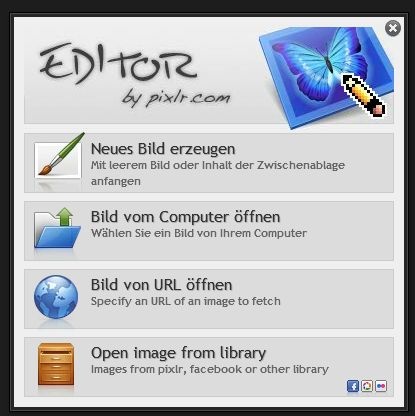
Pixlr Photo Editor
Pixlr is a browser-based photo editor that runs entirely inside a web browser, requiring no heavy local installation — the companion app weighs just 20 MB.
The pixlr photo editor ships two distinct environments: Pixlr E for layer-heavy compositing work, and Pixlr X for fast single-image edits. That split matters because they aren't just UI skins over the same engine — Pixlr E gives you masks, curves, and blend modes, while Pixlr X strips those out in favour of speed. Knowing which one to open saves real time.
What the Editor Actually Does
As a capable browser based image editor, it covers more ground than most people expect from a free tool. Layer support in Pixlr E includes blend mode selection across Normal, Multiply, Screen, and Overlay — enough to handle most compositing without touching Photoshop. Masks are available too, making non-destructive adjustment genuinely viable in-browser.
Filters, Adjustments, and Selection Tools
The filter gallery includes sharpening, diffuse glow, and pixelation effects. Exposure controls — brightness, contrast, highlights, shadows — sit alongside a proper curves panel. For selection, you get lasso, magic wand, and marquee variants. That's a solid baseline for photo retouching, background removal, and basic colour adjustment work.
Pixlr layers and filters are the headline features here, and they hold up for most mid-complexity tasks. Batch photo editing is not part of the offering, which is a genuine gap if you process high volumes. Lightroom's batch workflow and even some free online photo editor alternatives like Fotor handle that better.
Pixlr E vs. Pixlr X — The Real Difference
Pixlr E is the full-featured editor. Pixlr X is the quick-edit lane — no layers, no curves, no masks. For a closer look at the quick edit side of the tool, the express-focused breakdown covers the X-mode workflow in detail.
If you need text overlay tools, collage maker features, or a clone stamp tool, stay in Pixlr E. If you need to slap a filter on a JPEG and export PNG, Pixlr X is faster to load and manage.
Cost and Platform Coverage
The editor is available at no cost under a free license — no subscription required to access layers, blend modes, or the filter gallery. There is a premium tier that removes ads and adds AI-powered tools like one-click background removal, but the core toolset is genuinely usable without paying.
Platform support covers macOS, Linux, Android, and iOS. The macOS compatible download weighs 20 MB for the launcher. The actual editing runs in-browser, so the OS mostly just determines which browser you're using.
Where It Falls Short
Export is limited to JPEG and PNG. No TIFF, no raw output, no metadata or EXIF preservation on export. If colour profile accuracy matters — say, you're handing off to print — that's a hard limitation. The histogram is absent, which makes exposure judgement less precise than in desktop tools like GIMP or even Affinity Photo's browser companion.
Memory handling on complex, multi-layer files can get sluggish in Chrome after extended sessions. Closing and reopening the tab clears it, but that's a workaround, not a fix.
Verdict
The pixlr photo editor is fit for purpose as a lightweight browser based image editor for hobbyists, social creators, and anyone who needs layer support without a desktop install. It's not a Photoshop replacement, and the export limitations rule it out for print-focused work. But for web-ready image editing, compositing, and quick retouching, it's hard to beat for the price — which is nothing. Pixlr for beginners is an easy recommendation; for power users, it's a capable secondary tool, not a primary one.
Compare Pixlr Head-to-Head
More Pixlr Guides
Explore Photo Editors
Browse all photo editors on PicturesQuePhotoVideo. Also see Free software and macOS / Linux options.