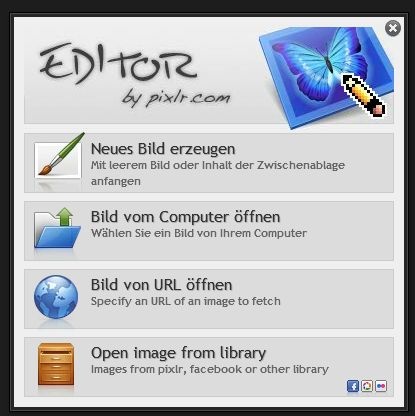
Pixlr Remove Background
Pixlr remove background is a built-in capability available inside the Pixlr E editor, accessible entirely through a web browser with no heavyweight local install required.
Pixlr ships as a browser based image editor with a 20 MB launcher footprint — lean by any measure compared to desktop suites. It targets hobbyists, social creators, and small-business owners who need real compositing tools without committing to a full application install. Two editors sit under one roof: Pixlr E for advanced layer work and Pixlr X for quick, single-layer edits.
How Pixlr Remove Background Actually Works
Background removal in Pixlr E runs through an AI-powered selection pass, then hands control to you via masks and manual refinement. It is not a destructive erase. The result lands on a transparent layer, which you can composite over any colour or texture using the blend mode controls — Normal, Multiply, Screen, Overlay are all available in-browser.
Selection Tools That Do the Heavy Lifting
Before the AI pass, manual routes exist. The magic wand, lasso, and marquee selection tools all isolate subject edges. Holding Shift while drawing a marquee constrains it to a perfect square — this is undocumented in the UI tooltips, and it saves time when cutting product shots with uniform backgrounds.
Once the selection is active, hitting Delete removes the targeted pixels. Add a mask instead if you want non-destructive editing: the mask pins the transparency to the layer rather than discarding data permanently.
Exporting With Transparency Intact
Export format matters here. PNG with the transparency option checked preserves the alpha channel correctly for web overlays. Switching to JPEG at that stage silently drops the transparency without a warning dialog. Watch the format selector — JPEG will flatten everything to white. For a detailed breakdown of export settings and browser compatibility inside Pixlr's web interface, that page covers the nuances.
Pixlr E vs Pixlr X for Background Work
Pixlr X handles quick crops, color adjustment sliders, and filter application. It does not expose full layer support or masks. Background removal that needs edge refinement belongs in Pixlr E, full stop.
Pixlr E is available as a no cost, freely licensed tool — no subscription paywall blocks the background removal or mask functionality. That positions it clearly above basic resize utilities among dedicated photo editing applications aimed at non-destructive compositing.
| Feature | Pixlr E | Pixlr X |
|---|---|---|
| Layer support | ✅ | ❌ |
| Masks | ✅ | ❌ |
| Blend modes | ✅ | ❌ |
| Quick filters | ✅ | ✅ |
| Background removal | ✅ | Limited |
Practical Tips for Cleaner Cutouts
The healing brush and clone stamp tool clean up stray pixels after the initial removal pass. Run the healing brush along the subject edge at low opacity — around 30% — to smooth antialiasing artifacts without smearing fine hair or fabric detail.
Curves and exposure adjustments on the subject layer, post-cutout, help match it to a new background's lighting. Brightness, contrast, highlights, and shadows all sit on the same panel as the curves control in Pixlr E.
The platform covers macOS as well as Linux, Android, and iOS, so the same browser-based workflow runs across devices without file format juggling.
Pixlr for Beginners: Getting Started Fast
Pixlr for beginners benefits most from starting in Pixlr X for basic crops and filter application, then graduating to Pixlr E once layer logic clicks. This free online photo editor requires no account to open an image and start cutting. Open a file, hit File > Open Image, and the editor loads it onto a single rasterized layer immediately.
For anyone moving from a free online photo editor that lacks mask support, the jump to Pixlr E's non-destructive workflow is significant. Done right, pixlr remove background produces clean PNG exports ready for social graphics, product pages, or collage work — all without touching a desktop application.
Compare Pixlr Head-to-Head
More Pixlr Guides
Explore Photo Editors
Browse all photo editors on PicturesQuePhotoVideo. Also see Free software and macOS / Linux options.