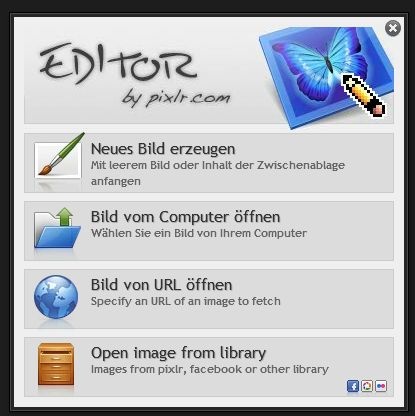
Pixlr Express
Pixlr Express is a browser-based photo editor that runs without a local software install, offering layer support, blend modes, and a full filter gallery at no cost.
Pixlr ships two distinct editing environments: Pixlr E for advanced, layer-based compositing and Pixlr X for rapid single-layer edits. The 20 MB footprint covers a lightweight launcher rather than a full desktop application. That puts it in a different category from Photoshop or Affinity Photo — both of which require multi-gigabyte installs and paid licenses — while still delivering non-destructive adjustment tools that most browser-based competitors skip entirely.
What Pixlr Express Actually Does
As a web based image editing tool, the application processes everything in-browser across macOS, Linux, Android, and iOS. No codec dependencies, no GPU driver conflicts. Open a JPEG or PNG, edit, export. The license is completely free to use with no payment required, though an AI-powered background removal feature sits behind an optional subscription tier.
Core Editing Tools
Layer support in Pixlr E covers Normal, Multiply, Screen, and Overlay blend modes. Masks are available on individual layers. The exposure panel includes brightness, contrast, highlights, shadows, and a curves adjustment panel — functional parity with entry-level desktop editors. Selection tools cover lasso, magic wand, and rectangular/elliptical marquee variants.
The filter gallery handles sharpening, diffuse glow, and pixelation. A liquify tool sits under Filter > Liquify, though it only activates on a rasterized layer. If the option appears greyed out, select the target group and press Ctrl+E to flatten it first.
Pixlr E vs. Pixlr X
Pixlr E handles multi-layer compositing, masks, and blend mode selection. Pixlr X strips those out in favor of a simplified toolbar aimed at single-image adjustments and quick collage work. Social media creators doing one-off crops and color adjustments will spend most of their time in Pixlr X. Anyone stacking adjustment layers or working with alpha-channel transparency for web overlays needs Pixlr E.
For a detailed breakdown of the full editing environment, see the complete guide to Pixlr's online editing interface.
Working with Layers and Filters
Pixlr layers and filters form the core of what separates this tool from basic resize utilities. Double-clicking a layer thumbnail in Pixlr E opens the layer properties panel — from there, opacity can be set numerically rather than scrubbing the slider. That matters when you need a precise 70% blend rather than an approximate one.
Export defaults to JPEG and PNG. One critical detail: exporting as PNG with the transparency option checked preserves the alpha channel correctly. Switching to JPEG at that stage silently drops transparency with no warning dialog. Watch the format selector before hitting export.
Is Pixlr for Beginners or Advanced Users?
Pixlr for beginners works well through the Pixlr X interface — the toolbar is minimal, color adjustment sliders are labeled plainly, and collage templates reduce setup time. Pixlr E requires understanding layer order, blend mode math, and rasterization. Not steep, but not a one-click tool either.
As a free online photo editor, the application handles most photo retouching tasks: healing brush, clone stamp, text overlay, background removal (with caveats on the subscription tier), and batch photo editing through the batch process panel.
This guide to background removal in Pixlr covers the AI-powered cutout tool and its limitations on complex edges.
As a browser based image editor running on a 20 MB install, pixlr express competes directly with Canva's photo editor and Adobe Express — and on raw tool depth, specifically the curves panel and layer mask support, it edges both of them at zero cost. The trade-off is no TIFF or RAW support, no plugin architecture, and no offline mode.
Compare Pixlr Head-to-Head
More Pixlr Guides
Explore Photo Editors
Browse all photo editors on PicturesQuePhotoVideo. Also see Free software and macOS / Linux options.