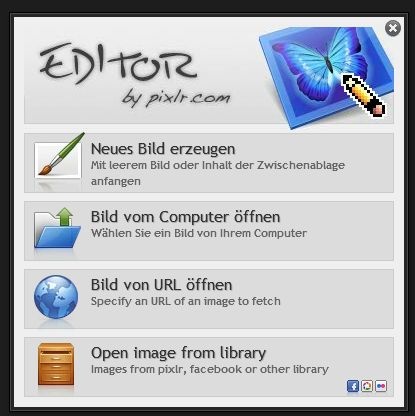
Pixlr Online Editor
Pixlr online editor is a browser-based photo editing suite that runs entirely in a web browser — no heavy local install required, and a companion app download sits at just 20 MB.
Available through Pixlr's official web app, it targets hobbyists, social media creators, and small-business owners who need real compositing tools without committing to desktop software like Adobe Photoshop or Affinity Photo. As a free online photo editor, it punches above its weight class in the browser category.
What the Editor Actually Includes
Two Distinct Modes
The suite ships as two separate editors. Pixlr E handles advanced work — multi-layer compositing, blend modes, curves, masks, and full selection tools including lasso, magic wand, and marquee variants. Pixlr X handles quick edits: fast crops, filters, and basic exposure adjustments without the layer panel overhead.
If you're new to layer-based editing (layers are independent image planes stacked on top of each other), start with Pixlr X to learn crop and color tools, then move to Pixlr E once you're ready for blend mode controls like Multiply, Screen, and Overlay.
Pixlr Layers and Filters in Depth
The Pixlr layers and filters system inside Pixlr E is genuinely non-destructive — meaning adjustments sit on separate layers rather than baking permanently into the pixel data beneath. The filter gallery covers sharpening, diffuse glow, and pixelation effects. Exposure controls include brightness, contrast, highlights, shadows, and a curves panel. That curves panel alone separates it from most browser based image editor options at this price point.
For background removal and overlay compositing, the background removal workflow in Pixlr pairs well with the layer mask tools in Pixlr E.
Cost and Platform Access
Is It Free?
No cost, no subscription access covers the full toolset described above — this isn't a stripped trial. No bundle. No tracker pushed alongside the download.
Where It Runs
The editor runs on macOS, Linux, Android, and iOS. macOS specific setup notes apply mainly to keyboard shortcut behavior — Ctrl-based shortcuts swap to Cmd on Mac, which the interface reflects automatically.
For a broader comparison of browser and desktop options in this space, the photo editors category index lists tested alternatives including GIMP, Canva, and Photopea.
Pixlr for Beginners: Key Shortcuts and Workflow
Getting Started Fast
Pixlr for beginners benefits from knowing the keyboard shortcuts the UI doesn't advertise. Hold Shift while dragging the marquee selection tool to lock it to a perfect square — the tooltip never tells you this. Double-clicking a layer thumbnail in Pixlr E opens layer properties where you can set opacity numerically instead of scrubbing the slider blind.
The liquify tool (Filter > Liquify) only activates on a rasterized layer. If it appears greyed out, flatten the target group first with Ctrl+E (or Cmd+E on Mac).
Export Formats
Native export covers JPEG and PNG. TIFF and RAW output are not available. Metadata and EXIF data handling is limited — strip-sensitive workflows should post-process through a dedicated metadata editor downstream.
Pixlr E vs Pixlr X: Quick Comparison
| Feature | Pixlr E | Pixlr X |
|---|---|---|
| Layer support | Yes | No |
| Blend modes | Yes (Normal, Multiply, Screen, Overlay) | No |
| Curves adjustment | Yes | No |
| Masks | Yes | No |
| Filter gallery | Yes | Limited |
| Best for | Compositing, retouching | Quick edits, resizing |
---
The pixlr online editor earns its place as a credible free option specifically because Pixlr E includes real layer and mask tools — not just surface-level filters. For straightforward jobs like a quick color adjustment or a social media crop, Pixlr X gets it done in under a minute. The full pixlr online editor stack, though, is worth knowing if you're regularly doing text overlays, background removal, or multi-element composites without a desktop application on hand.
Compare Pixlr Head-to-Head
More Pixlr Guides
Explore Photo Editors
Browse all photo editors on PicturesQuePhotoVideo. Also see Free software and macOS / Linux options.